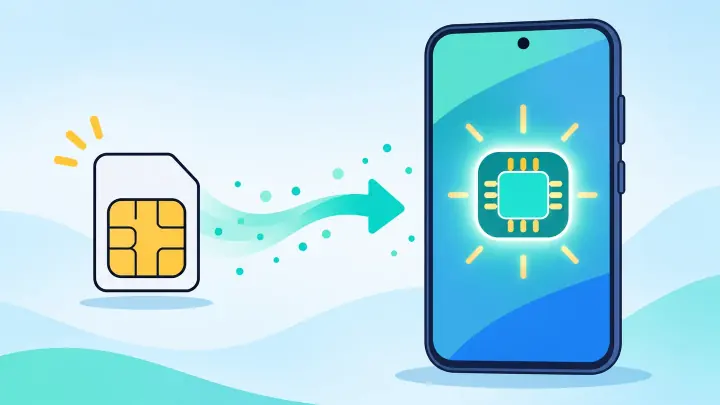
TLDR
- Find the full Galaxy model number and EID.
- Confirm the carrier converts this plan to eSIM.
- Keep the physical SIM active during approval.
- Add the carrier-issued eSIM through SIM Manager.
- Test the number before removing the card.
Confirm the exact Samsung version supports eSIM
Open Settings, About phone and record the model number. Similar Galaxy names can cover different regional hardware. Check the model with uPhone’s device compatibility checker.
Open Settings, Connections, SIM Manager. Look for Add eSIM. If it is missing, update One UI and check again. The phone may be unsupported, carrier-locked, or sold in a region where eSIM is disabled.
Ask the carrier whether the current plan can be changed from physical SIM to eSIM on this model. State that you want to keep the same number.
Find the EID and IMEI
Search Settings for EID or view Status information under About phone. The carrier may ask for the eSIM IMEI as well. Copy carefully.
Try the conversion choice in Samsung SIM Manager
Some carrier and One UI combinations show Convert to eSIM after you tap the physical SIM in SIM Manager. When it appears, keep Wi-Fi connected, select the physical line, and follow the confirmation screens.
The phone contacts the carrier and downloads a replacement profile. The plastic SIM may lose service. Wait for the eSIM to appear and turn on before restarting the phone.
If no conversion choice appears, do not remove the card. Use the carrier replacement method instead.
| Choice | Meaning |
|---|---|
| Convert to eSIM | Direct carrier conversion is supported |
| Add eSIM | A carrier activation or QR code is needed |
| No eSIM option | Check model, region, lock, and software |
Request an eSIM replacement from the carrier
Use the official carrier app, account page, support line, or store. Look for Replace SIM, Change device, or Activate eSIM. Provide the EID and IMEI when asked.
The carrier may push the profile, display a QR code, or email manual details. Open SIM Manager, tap Add eSIM, and use the approved method. Follow uPhone’s eSIM installation guide if needed.
Do not scan the QR code on a second phone. Treat it like an account password. Keep the physical SIM inserted until the carrier starts the change.
Check the order before confirming. It should move the existing number and plan rather than add another monthly charge.
Set the converted line in Preferred SIMs
Open SIM Manager and label the new eSIM. Choose it for Calls, Messages, and Mobile data when it is the main line. Turn off the inactive physical SIM entry if it still appears.
When another travel eSIM is stored, use clear labels and review uPhone’s Dual SIM setup guide. Keep data switching off when you want strict control.
Restart the Galaxy. Check Mobile networks, roaming, and Access Point Names when data does not return automatically. The carrier’s APN should normally load with the profile.
Verify the number moved before removing the physical SIM
Make and receive calls. Send and receive SMS, including a test from another carrier. Turn off Wi-Fi and load a page. Check voicemail and RCS status.
If the eSIM is listed but a service fails, leave it installed and use uPhone’s eSIM troubleshooting guide. Give the carrier the model number, EID, conversion time, and exact error.
After every test passes, power off the phone and remove the physical card. It should be inactive. Keep it privately until the carrier confirms disposal is safe.
Complete your Samsung physical SIM to eSIM conversion
Use SIM Manager when direct conversion is offered; otherwise let the carrier replace the SIM identity. Both methods can keep the same number and plan.
When upgrading later, follow uPhone’s eSIM transfer guide before erasing the old Galaxy.