TLDR
- Contact the carrier quickly if the phone is lost or accessible to others.
- Use the account login, PIN, ID, receipt, IMEI, or order number to prove ownership.
- Ask for a replacement eSIM rather than a phone-to-phone transfer.
- Do not expect an old one-time QR code to work on the new phone.
- Test the recovered line before wiping or recycling the broken device.
Protect the account before moving the eSIM
If the old phone is lost, stolen, or has a working screen that someone else can reach, contact the carrier first. Ask it to suspend the device while keeping the number and account. Change the carrier-account password and PIN through the official site.
Use Apple or Google device-finding tools to mark the phone lost and protect personal data. Do not erase it until you understand whether any account recovery information is stored only there. A remote erase may remove the eSIM but does not cancel the carrier line.
Change important email and banking passwords when the phone was unlocked or the SIM could receive security codes. Never give a caller a one-time code just because they claim to have found the phone.
Tell the carrier you want to protect the number, not cancel it. Cancellation can make transfer and number recovery harder.
Collect the details needed without the old phone
Sign in from a trusted computer. Find the mobile number, account number, billing address, account PIN, and recent bill. For a travel plan, find the order email, payment receipt, and provider account.
Find the new phone’s EID and IMEI in Settings and About. Confirm its eSIM support with uPhone’s device compatibility checker. The provider needs to know where the replacement profile will go.
If you saved the old phone’s box or receipt, its IMEI can help identify the damaged device. Do not post any EID, IMEI, QR code, or account number in a public forum.
| Detail | What it proves |
|---|---|
| Account PIN and bill | Control of the carrier account |
| Photo ID | Identity when stronger checks are needed |
| Order and payment receipt | Ownership of a travel package |
| New EID and IMEI | Replacement device identity |
Ask the home carrier to reissue the eSIM
Tell support the old phone is broken and cannot approve a transfer. Ask for an eSIM replacement or device change. The carrier may use its app, send an account activation, provide a QR code, or require a store visit.
When the broken phone held the only way to receive codes, use another account recovery method. This may include email, an account PIN, identity documents, or in-person verification. Avoid third-party “recovery” services.
Do not keep scanning a QR code previously used on the broken phone. A replacement profile is safer and allows the carrier to disable the old one. For the normal transfer choices, see uPhone’s eSIM transfer guide.
Keep the number, not the damaged profile
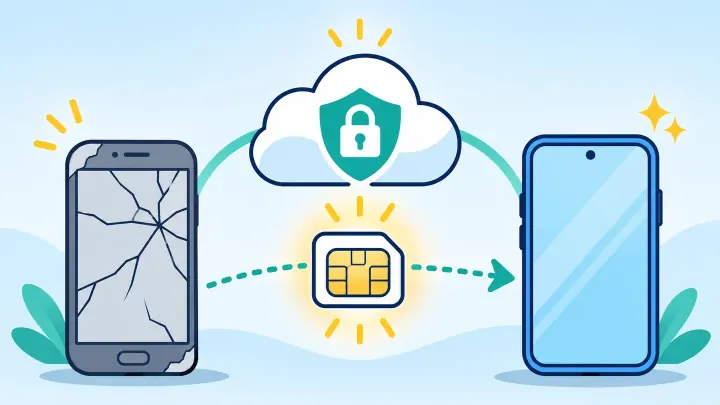
The goal is to move the carrier account and phone number. The secure profile itself is normally replaced because the old device cannot release or approve it.
Ask a travel provider to recover unused data
Travel eSIM rules differ. Some profiles are fixed to one device. Others can be replaced when support verifies the order and new EID. Send the order number, email, phone model, new EID, and remaining trip details through official support.
Ask whether unused data can move and whether the validity clock continues. A replacement does not always restart the plan. Check the package rules in uPhone’s eSIM data plans guide.
If the provider does not permit transfer, compare the cost and time of a new package. Do not buy another plan before support gives a clear answer about the first balance.
Install and test the replacement on the new phone
Connect to private Wi-Fi, turn off a VPN, and set date and time to automatic. Use Add eSIM in the phone settings and follow the carrier’s approved method. uPhone’s eSIM installation guide covers QR, carrier, and manual entry.
Label the line and turn it on. For a home plan, test incoming and outgoing calls, SMS, voicemail, and mobile data. For a data-only plan, select it for data, follow the roaming rule, and load a page with Wi-Fi off.
If the profile installs but cannot connect, keep it in place and use uPhone’s eSIM troubleshooting guide. Tell support that this is a replacement after device damage.
Complete an eSIM transfer when the old phone is broken
Secure the number, prove account ownership, and have the issuer create a replacement for the new device. A nearby transfer is only one method; the carrier account is the real source of the service.
After the new phone works, remove the broken device from trusted-account lists and recycle or repair it safely. If it comes back online, confirm the old eSIM is disabled before giving it to anyone else.