TLDR
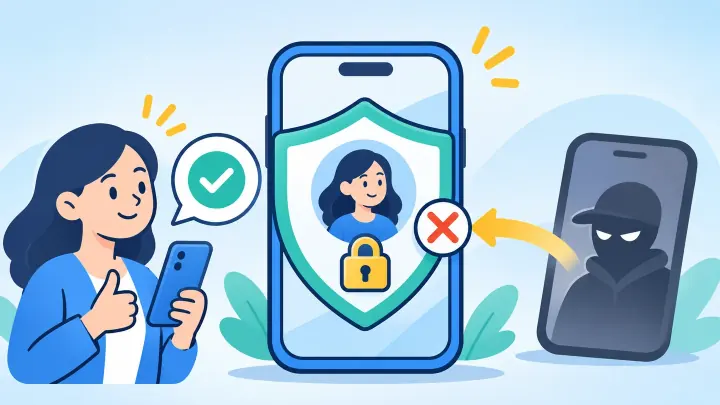
- eSIM prevents simple removal of a physical SIM from a stolen phone.
- It does not prevent a carrier from approving a fraudulent transfer.
- Carrier PINs and port-out locks add important protection.
- Authenticator apps and security keys are safer than SMS codes.
- Unexpected home-line service loss needs quick action.
A SIM swap steals control of the number
In a SIM swap, a criminal convinces a carrier to activate the victim’s phone number on another SIM or eSIM. The victim’s phone then loses service. Calls and text messages go to the attacker’s device.
The criminal may gather a name, address, phone number, account answers, or leaked password first. They can use phishing, stolen email access, a dishonest insider, or social engineering against support staff.
Once the number moves, SMS password-reset codes may help the attacker enter financial, social, or email accounts. The goal is usually the accounts behind the number, not free mobile service.
eSIM closes the physical-card shortcut
A thief cannot pull an eSIM out of a stolen phone and place it in another handset. The profile is held in protected hardware and cannot normally be copied like a photo. A locked device can also be tracked while it remains connected.
Remote provisioning creates a recorded carrier process for activation. A legitimate move usually needs account access, device details, or a carrier-approved transfer flow. This can be safer than handing over a removable card.
The improvement is real but limited
These protections help with physical theft. SIM swap fraud often happens remotely, where the attacker never touches the victim’s device. That is why eSIM alone cannot solve it.
A dishonest transfer can still replace an eSIM
A carrier that accepts a false identity claim can issue a new profile to the attacker. The secure chip on the victim’s phone may never be broken. The network simply stops trusting the old profile and starts serving the new one.
Online self-service can also be abused if the carrier password or email account is stolen. A weak recovery question may allow a reset even when the original password is strong.
Changing from a plastic SIM to eSIM does not repair those account weaknesses. It must be paired with controls that make a number transfer harder.
Ask the carrier for its strongest transfer controls
Use a unique account password and a PIN that is not a birthday or address. Many carriers offer a port-out lock, number lock, or extra confirmation before a line moves. The name varies, so ask what prevents both porting to another carrier and changing devices.
Protect the email address tied to the carrier with multi-factor authentication. Remove old recovery addresses and phone numbers. Never give a one-time carrier code to someone who contacted you first.
When a device move is legitimate, use the carrier’s official method and uPhone’s transfer guide. A rushed request from an unknown caller is a warning.
Move important accounts away from SMS codes
Text-message verification is better than a password alone, but it depends on control of the phone number. An authenticator app creates codes on the device. A hardware security key or passkey can provide stronger phishing resistance.
Start with the email account because it can reset many others. Then protect banking, investment, cloud storage, and social accounts. Save recovery codes offline in a secure place.
Do not remove SMS recovery until another tested method works. Losing access through an unplanned security change can be difficult to fix while traveling.
Act quickly when the home line dies without reason
- Use another phone or secure Wi-Fi to contact the carrier.
- Ask whether a new SIM, eSIM, or number port was approved.
- Tell the carrier to freeze the line and reverse an unauthorized move.
- Change the carrier and email passwords from a trusted device.
- Review financial accounts and report suspicious activity.
- Save alerts, times, case numbers, and screenshots.
Weak coverage and eSIM setting errors can also cause service loss. uPhone’s connection checklist helps rule out ordinary causes, but suspicious account alerts should never wait.
A travel data eSIM can keep internet access available while the home carrier investigates. Confirm the backup phone through uPhone’s compatibility checker before an emergency.
eSIM reduces physical theft but does not stop SIM swap fraud
eSIM makes it harder to steal or copy a physical card, which is a useful security gain. It cannot prevent a carrier, support agent, or compromised account from approving a fraudulent number move.
Treat the number as a valuable account. Use carrier transfer locks, strong email protection, and non-SMS login methods for the services that matter most.