TLDR
- Pixel 8, 8 Pro, and 8a support eSIM.
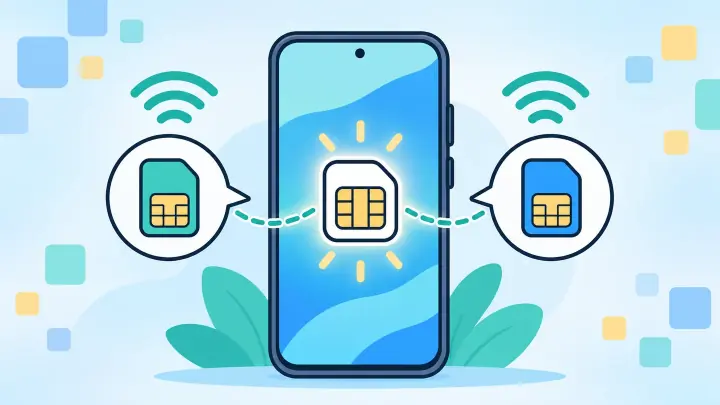
- One nano-SIM and one eSIM can remain active.
- Two eSIMs can also be active when the carrier supports the feature.
- Only one SIM supplies mobile data at a time.
- Pixel 8 can convert a physical SIM to eSIM with participating carriers.
The whole Pixel 8 family is eSIM-ready
The standard Pixel 8 and larger Pixel 8 Pro list Dual SIM through a single nano-SIM and eSIM. Pixel 8a uses the same basic arrangement. Camera, screen, and storage choices do not remove eSIM.
Regional radio bands and carrier approval still matter. An imported phone can contain eSIM hardware yet lack the best bands for the destination or fail a carrier’s accepted-device check. Confirm the exact model with uPhone’s compatibility checker.
| Phone | eSIM | Common second line |
|---|---|---|
| Pixel 8 | Yes | Nano-SIM or second eSIM |
| Pixel 8 Pro | Yes | Nano-SIM or second eSIM |
| Pixel 8a | Yes | Nano-SIM or second eSIM |
Choose between a card and two digital lines
The phone can use a physical card and one eSIM through Dual SIM Dual Standby. It can also use two active eSIM profiles if the mobile providers support that combination. Other downloaded profiles remain stored but switched off.
Both active numbers can receive service, yet one is chosen as the preferred data SIM. A call can affect data behavior depending on the carriers and settings. Use uPhone’s Dual SIM guide to give each line a clear role.
Useful labels prevent mistakes
Name the lines Home, Work, or the destination. A label such as Italy Data is safer than SIM 2 when roaming settings and calls have different costs.
Prepare the phone before scanning anything
Open Settings, About phone and confirm EID. Then open Network and internet, SIMs, Add SIM. The option to set up an eSIM should appear. Install current Android updates and restart if it does not.
Check that the Pixel is unlocked when the new plan comes from another carrier. Connect to private Wi-Fi and save the provider order number, activation instructions, and support link. Keep the QR code secret and do not scan it on a spare device.
Add a new eSIM or convert a card
For a new plan, open Settings, Network and internet, SIMs, Add SIM, and choose Set up an eSIM. Scan the carrier QR or follow its transfer instructions. uPhone’s installation guide explains the remaining prompts and data test.
Pixel 8 and later phones can also show Convert to eSIM for supported carriers. This changes an existing physical plan into a digital one on the same device. Once conversion finishes, the old card stops working. Test calls and data before discarding it.
A missing Convert to eSIM button does not mean the Pixel lacks eSIM. The provider may require a different activation method.
Build a low-risk travel setup
Keep the home line active for important texts and assign a travel eSIM to mobile data. Review the destination on uPhone’s coverage page and read when the plan’s validity begins.
Turn data roaming off for the home line. Turn it on for the travel profile only when its instructions require partner-network roaming. After arrival, disable Wi-Fi and open a webpage. This confirms the selected eSIM really carries data.
Do not delete the profile during a weak-signal moment. Move outdoors, confirm the covered network, and try automatic network selection first.
Fix Pixel 8 eSIM problems by stage
If Add SIM is missing, update Android and confirm EID. If a QR is rejected, ask the issuer whether it is expired, already used, or assigned elsewhere. If the line installs but stays offline, check the preferred data SIM, roaming, APN, balance, and destination.
Follow uPhone’s troubleshooting guide before erasing the profile. Send support the Pixel model, Android version, current country, and exact error without posting the full EID publicly.
Pixel 8 supports flexible eSIM combinations
Every Pixel 8 family phone supports eSIM. Owners can pair it with a nano-SIM or use two eSIMs when their carriers allow Dual eSIM.
Confirm the provider, unlock status, and regional bands before buying. Then label the lines, select one data SIM, and keep unused profiles stored rather than repeatedly deleting them.