TLDR
- Only GPS and Cellular Apple Watch models connect directly to mobile networks.
- The watch uses a built-in eSIM rather than a removable card.
- Most setups add the watch to the same supported carrier used by the paired iPhone.
- A separate monthly wearable fee may apply.
- International roaming depends on the Watch model, carrier, plan, and country.
First make sure the Watch has cellular hardware
Apple sells some Watch models in GPS and GPS and Cellular versions. The GPS model can make calls and use apps through a nearby iPhone or known Wi-Fi, but it cannot join a mobile network on its own. Buying an eSIM plan will not add missing radio hardware.
A Cellular model usually has a colored ring or mark on the Digital Crown, though the look changes by generation. The safer check is the model information in the Watch app or Settings, General, About. You can also open Control Center. A Cellular button appears when the hardware supports it.
Regional versions support different frequency bands. Before buying an imported watch, use uPhone’s device compatibility checker as a first check and confirm the model number on Apple’s carrier list.
Apple Watch eSIM is tied to carrier service
The embedded SIM is managed through the Watch app on an iPhone. In a normal personal setup, the iPhone and Watch use the same carrier. The carrier links the watch to the main account and may show a different internal billing number, even though calls appear to use the iPhone number.
This is not the same as installing a phone eSIM. Apple Watch does not show the usual Add eSIM screen for a QR code from a travel data shop. The provider must specifically support Apple Watch service and the customer’s account type. Some prepaid, business, and older plans are not eligible.
| Feature | iPhone | Apple Watch Cellular |
|---|---|---|
| Typical activation | QR, app, transfer, or carrier | Carrier flow in Watch app |
| Independent travel data plan | Often available | Usually not supported |
| Physical SIM option | On some regional models | Never |
Add cellular through the paired iPhone
Update the iPhone and Watch first, then check for carrier settings updates. Keep both devices together and connect the iPhone to the carrier network. In the Watch app, open My Watch, Cellular, and Set Up Cellular. The carrier’s sign-in and plan screens finish the activation.
- Confirm that the Watch says GPS and Cellular.
- Check that the phone plan is eligible.
- Open the Watch app and choose Set Up Cellular.
- Accept any wearable fee and carrier terms.
- Wait for the plan to show under Cellular.
The regular uPhone phone eSIM installation guide is useful for understanding digital plans, but the Watch must use its own carrier-led menu. Do not try to scan a single-use phone QR code with another device.
Family watches use a different path
Apple Watch For Your Kids can set up a supported cellular watch for someone without their own iPhone. Availability is limited by country and carrier. In this case, the watch may use a carrier different from the organizer’s iPhone, but only providers that support the family feature can activate it.
What cellular adds when the iPhone is not nearby
The Watch chooses the most efficient connection. It uses the paired iPhone when close, known Wi-Fi when available, and cellular when those choices are gone. Over cellular, supported apps can handle calls, messages, notifications, music, maps, and other tasks.
The Cellular button turns green while the watch is using a mobile network. It may appear white when a plan is active but the Watch is connected through Bluetooth or Wi-Fi. A missing green connection is not automatically a fault.
Direct cellular use consumes more battery than staying near the iPhone. Signal quality, streaming, calls, and workouts with location tracking all affect runtime. Download music or directions before a long day away from a charger.
Do not assume iPhone travel coverage includes the Watch
International roaming is available on supported cellular Watch generations, but the home carrier must offer it for the watch plan. It also needs compatible network service in the destination. Coverage for the iPhone does not prove coverage for its paired Watch.
Ask the carrier about Apple Watch roaming, VoLTE support, fees, and the exact countries included. Apple Watch For Your Kids does not support international roaming. Because Watch hardware comes in regional versions, an imported model may also lack the right bands.
For the phone itself, a separate travel plan may still be useful. Check the destination with uPhone’s eSIM coverage guide and compare travel data plans. Treat that phone service and the Watch wearable plan as two different products.
Fix common Apple Watch cellular setup problems
If Set Up Cellular is missing, confirm that the Watch is a Cellular model and that both devices have current software. If the option appears but activation fails, check account eligibility with the carrier. Corporate and prepaid accounts are common sticking points.
Restart both devices, then turn Airplane Mode on for about 15 seconds and off again. Check the Watch app under Cellular for the plan and status. If an old plan remains after changing carriers, remove it through the Watch app and ask the old carrier whether billing also needs to be canceled.
General phone checks in uPhone’s eSIM troubleshooting guide can help separate an account issue from weak coverage, but Watch activation itself is controlled by the wearable carrier.
Apple Watch supports eSIM on Cellular models only
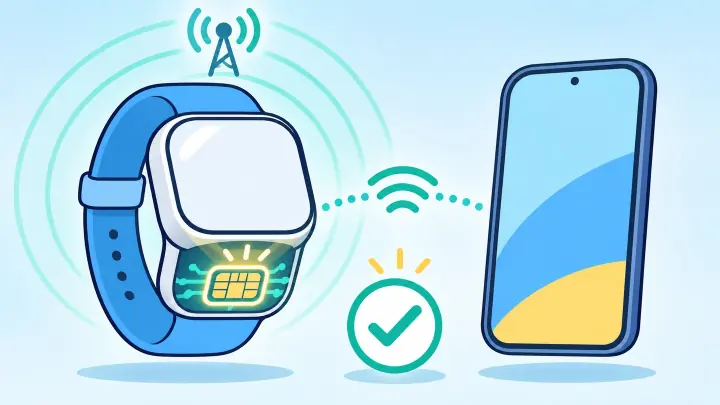
A GPS and Cellular Apple Watch has a built-in eSIM and can connect without the iPhone nearby after a supported wearable plan is activated. A GPS-only Watch cannot be upgraded to cellular with software or a purchased QR code.
Check the exact model, carrier list, account type, monthly fee, and roaming rules before buying. That short check prevents the most common surprise, which is owning cellular hardware that the chosen phone plan cannot activate.