TLDR
- A normal travel eSIM works where its listed land networks have signal.
- It can work in port and near shore.
- Country coverage usually excludes cellular service provided aboard the ship.
- Maritime roaming can be much more expensive than land roaming.
- Ship Wi-Fi is a separate service and does not use the eSIM.
Ports use ordinary land-based mobile networks
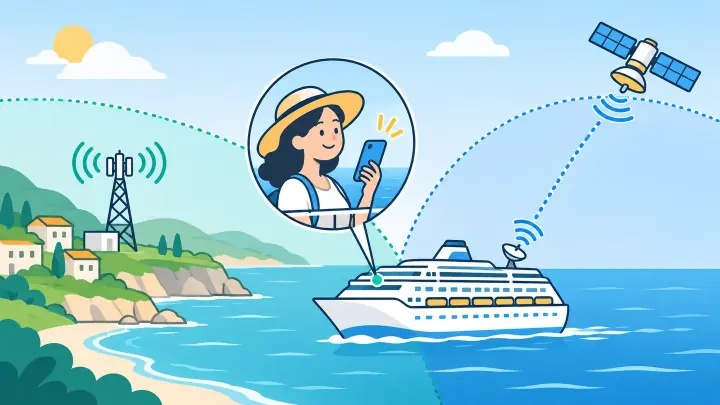
When the ship is docked, a travel eSIM can connect to a covered carrier in that country. It may also catch land signal for a short time while sailing near the coast. Hills, terminal buildings, distance, and the phone’s radio bands affect the result.
Check every country on the route through uPhone’s coverage guide. A single-country package stops being useful after the ship enters another country unless that place is also included.
Regional plans can be convenient for cruises with several stops. Read the country list rather than assuming the name Caribbean, Europe, or Asia includes every island and territory.
Open water usually has no covered tower
Land towers are designed to serve land and nearby coastal water, not an entire ocean route. Farther offshore, the phone normally loses the travel eSIM’s partner network.
Some ships operate an onboard cellular system that links to satellites. The phone may show a network name even though it is nowhere near land. That network is not automatically part of a destination eSIM.
| Location | Connection | Travel eSIM likely to work |
|---|---|---|
| Docked in covered port | Local land carrier | Yes |
| Near a covered coast | Distant land carrier | Possibly |
| Open sea | No land signal | No |
| Onboard maritime cellular | Satellite-linked ship network | Only if explicitly included |
| Ship Wi-Fi | Satellite or shore internet | Apps work over Wi-Fi, not eSIM |
A maritime network can create a costly home bill
A home SIM left active may automatically register with the ship’s network. Maritime voice, text, and data rates can sit outside normal roaming passes. Background app traffic can become expensive before the traveler notices.
Turn home data roaming off before departure. Ask the home carrier whether it blocks cruise networks or charges for incoming calls and texts. A network name containing “Maritime,” “Cellular at Sea,” or the ship operator is a warning to stop and check.
A speed test or video can use many megabytes on a network with high per-megabyte rates.
Use Airplane Mode between ports
After the ship leaves reliable land coverage, switch on Airplane Mode. Then turn Wi-Fi and Bluetooth back on if the cruise line permits them. This keeps both physical and digital SIMs from joining an unexpected cellular network.
Before entering a port, turn Airplane Mode off and let the travel line search. Select it for cellular data and keep home data roaming off. uPhone’s Dual SIM guide explains the line-by-line controls.
If the travel plan requires roaming on a partner network, enable Data Roaming on Travel only. Never assume a single global roaming switch applies safely to both lines.
Ship Wi-Fi follows the cruise line’s rules
Most ships sell internet packages by day, voyage, device, or speed tier. Messaging may be included while video calls and streaming require a more expensive level. Congestion and satellite delay can make the connection slower than land internet.
Airplane Mode can remain on while Wi-Fi is enabled. WhatsApp, iMessage, email, and other internet apps then use the ship connection. Wi-Fi calling may work if both the cruise network and home carrier permit it, but test carefully because carrier rules vary.
Control large background transfers
Pause photo backup, app updates, and cloud sync. These tasks can use a limited Wi-Fi package or slow the connection for everything else.
Match the plan to the itinerary
List every port and the time spent there. Compare single-country and regional options on uPhone’s data plan page. A larger regional package can be simpler than installing a new profile at each stop.
Install the chosen plan with the eSIM setup guide before boarding if validity rules allow. Save its instructions offline. If a port connection fails, keep the profile and use uPhone’s troubleshooting steps.
An eSIM works on a cruise when covered land is nearby
Expect normal travel eSIM service in included ports and perhaps near shore, not across open water. Maritime cellular and ship Wi-Fi are separate products with different prices.
Use Airplane Mode at sea, Wi-Fi when needed, and the travel line in port. That routine protects the home account while making the most of paid destination coverage.