TLDR
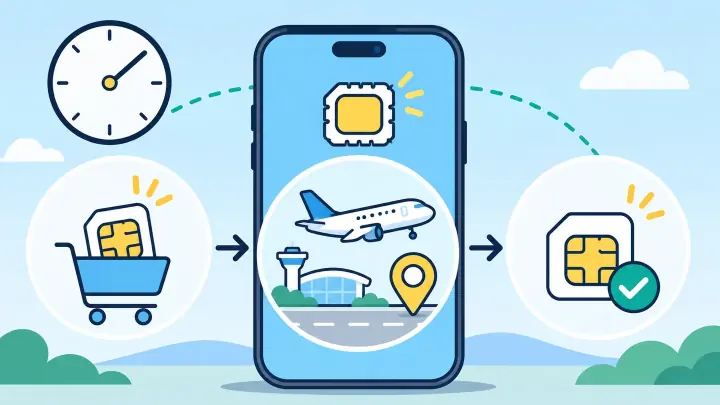
Buy and install early enough to solve setup problems at home. Read the provider activation policy in Package Details. If it starts on first network connection, leave the travel line off until arrival. If it starts on installation, wait to install until near departure.
Installation and activation are different events
Installation adds a secure eSIM profile to the phone. Activation starts the package under the provider’s rule. Connection is the moment the phone registers with a supported network and begins using service.
Those events can happen on different days. You might install on Monday using home Wi-Fi, fly on Friday, and connect after landing. For many Airalo products, the validity clock starts only at that first covered connection.
People often call every step “activation,” which causes confusion. Use the package status and activation policy instead of judging by the fact that a profile appears in phone settings.
Read which event starts the validity clock
Airalo says most eSIM validity periods begin when the profile connects to a mobile network in its coverage area. A smaller number may begin when installed. The exact answer lives in the selected package’s validity or provider activation policy.
| Policy | Safe action |
|---|---|
| Starts on first supported connection | Install before travel and keep it from connecting |
| Starts on installation | Install close to departure or after arrival on Wi-Fi |
Do not assume an older Airalo purchase follows the rule of a new one. Open the exact package. Different countries and providers can use different activation systems.
Use a schedule that leaves room for mistakes
For a first eSIM, checking three to seven days before departure gives time to confirm compatibility, payment, and installation instructions. It also gives support time to respond if the phone is locked.
Before the flight
- Confirm the device is unlocked on uPhone’s compatibility page.
- Read the package’s covered networks and start policy.
- Save screenshots of the QR code instructions and APN.
- Install on reliable private Wi-Fi when the policy allows.
- Label the new line with the destination.
Do not test a regional or global line by switching it on without thinking. If your home country is included, the package could connect immediately and start its valid days.
Regional and global packages need extra care
A single-country eSIM often cannot find an allowed network while you are still at home, so early installation is low risk when validity starts on connection. A Europe, Asia, or global package may include your home or transit country.
In that case, turning the line on before departure can create a real covered connection. Airalo specifically warns users not to connect a regional or global eSIM early when the home country is included.
Check every transit stop as well. A long layover may fall inside the coverage list and start the clock before the main trip. This is not necessarily bad if you want data during the layover; it simply needs to fit the purchased validity.
Connect Airalo after reaching the coverage area
- Open SIM settings after landing.
- Turn on the Airalo line.
- Select it under Mobile Data.
- Enable data roaming if the package instructions require it.
- Turn off cellular data switching.
- Wait for automatic network registration.
Keep your home line’s data roaming off to avoid charges. uPhone’s Dual SIM guide explains how to retain calls or texts without giving the home line mobile data.
If the status stays at Ready to use, toggle airplane mode and recheck the supported network and APN. Follow the troubleshooting guide before deleting the profile. The original QR code may not be reusable.
Activate your Airalo eSIM when its policy says the clock should start
For most Airalo plans, the practical routine is to install before departure and connect at the destination. This gives you home Wi-Fi for setup without spending travel days. The package’s own provider activation policy has the final word.
If installation starts validity, delay installation. If first connection starts it, keep the line off until you want service. Be especially cautious with regional and global coverage that includes home or a layover country. uPhone’s installation guide can walk you through the phone menus once the timing is clear.