🇮🇷

VPN for Iran

Iran blocks most major social media platforms, messaging apps, and foreign news sites. Adult content and LGBTQ+ content are strictly prohibited. VPN usage is officially illegal but widely practised — download a VPN before travelling to Iran.

Install your VPN before you arrive — VPN apps may be blocked inside Iran.
Recommended protocol: Lightway TCP / Obfuscated OpenVPN

What's blocked in Iran

Instagram, Facebook, WhatsApp, Telegram, Twitter/X, YouTube, most foreign news, adult content

App / Service
Status in Iran
Instagram
❌ Blocked
Facebook
❌ Blocked
Twitter / X
❌ Blocked
TikTok
❌ Blocked
WhatsApp calls
❌ Blocked
FaceTime
❌ Blocked
Skype voice
❌ Blocked
WhatsApp messages
❌ Blocked
Telegram
❌ Blocked
Signal
❌ Blocked
BBC News
❌ Blocked
New York Times
❌ Blocked
Reuters
❌ Blocked
VPN apps (app stores)
⚠️ Restricted
With a VPN active
✅ All unblocked
Is a VPN legal in Iran?

VPN use is technically restricted in Iran, though enforcement against foreign travellers for personal use is rare. Use a premium VPN with obfuscation to avoid detection.

High restrictions — obfuscation required

Iran actively detects and blocks VPN traffic. You need a premium VPN with obfuscation or stealth mode enabled. Standard free VPNs will not work here.

Using your eSIM and VPN together in Iran

Your uPhone eSIM gives you a local Iran IP address. Without a VPN, all your traffic is visible to local ISPs and subject to Iran's content filters. The VPN creates an encrypted tunnel over your eSIM data — making it appear you're browsing from your home country.

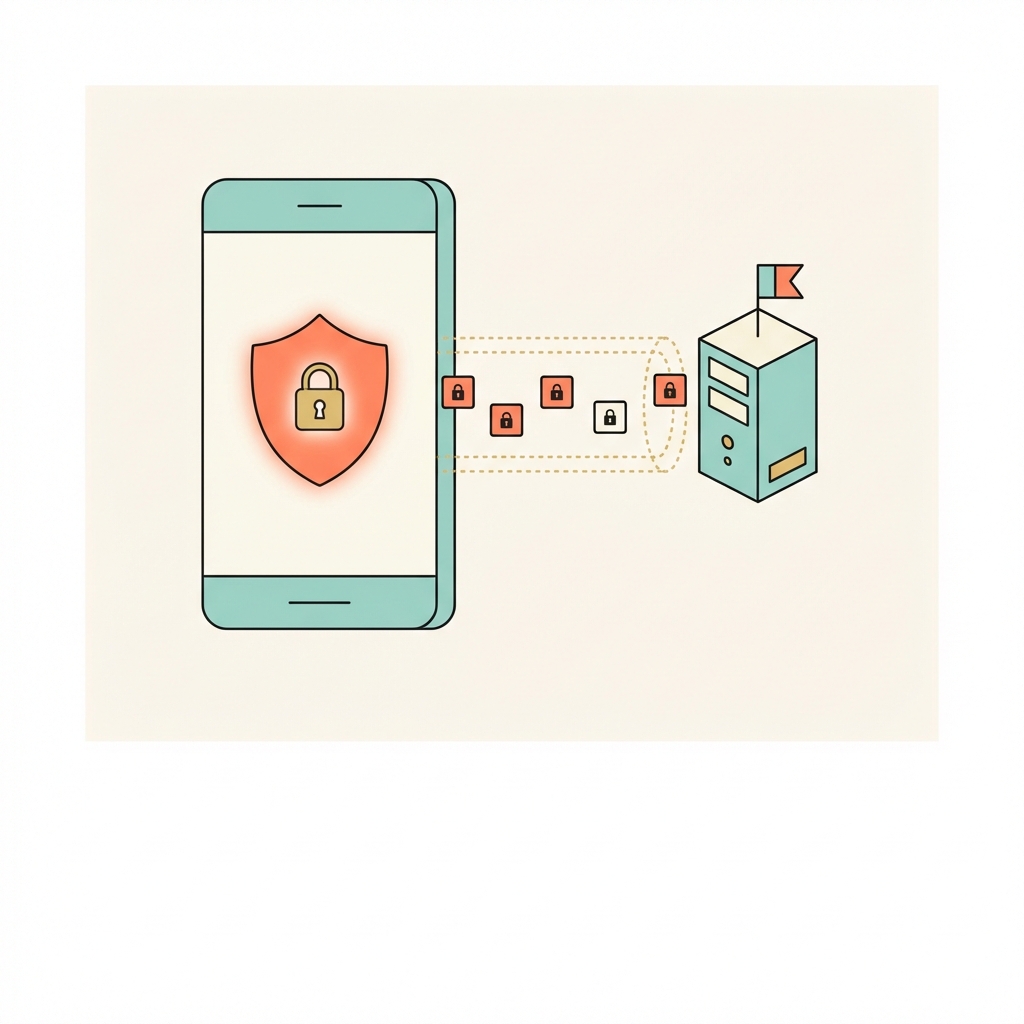
Activate eSIM
1. Activate eSIM
Scan QR code before you land. Your data activates the moment you arrive in Iran.
Open VPN app
2. Open VPN app
Connect to a server in your home country. Use Lightway TCP / Obfuscated OpenVPN for best performance in Iran.
Browse freely
3. Browse freely
All apps work as normal. Keep VPN on when switching between eSIM and hotel Wi-Fi.
Protocol tip for Iran

Use Lightway TCP (ExpressVPN) or Obfuscated OpenVPN (NordVPN). This gives you the best balance of speed and reliability on mobile data in Iran — and is hardest for local ISPs to detect and block.

Best VPN providers for Iran

Not all VPNs work in Iran — you need proven obfuscation technology. These are the ones that consistently bypass Iran's firewall:

🥇
ExpressVPN
Best for high-restriction countries — Lightway TCP protocol reliably bypasses sophisticated firewalls. 30-day money-back guarantee.
🥈
NordVPN
Enable Obfuscated Servers in settings. 6,000+ servers in 111 countries. Strong track record in restricted markets.
🥉
Surfshark
Enable NoBorders or Camouflage mode. Budget-friendly with unlimited simultaneous devices.
Full provider comparison with pros/cons →

Internet in Iran — what travellers need to know

Iran has one of the world's most repressive internet environments, second only to China and North Korea. The National Information Network (NIN/SHOMA) aims to create a domestic internet that can be severed from the global internet. Instagram was accessible until 2022 (when it was permanently blocked after protests). WhatsApp is blocked. Twitter, Facebook, YouTube, and virtually all major foreign platforms are inaccessible. During the 2019 protests, Iran imposed a near-complete internet blackout for a week. During the 2022 Mahsa Amini protests, Instagram and WhatsApp were specifically targeted. VPN use is paradoxically illegal yet near-universal among Iranians. Psiphon and Lantern work alongside commercial VPNs with obfuscation. For travellers, the internet situation is difficult but manageable with preparation.

Local streaming services in Iran

These services are popular in Iran but geo-locked — a local server unlocks them when you're at home, while a home-country server unlocks your own library when you're in Iran:

Filimo (فیلیمو)
Namava (نماوا)
Aparat (آپارات)
Telewebion
Privacy & data laws in Iran

Theocratic state. NIN domestic internet aims to replace global internet. Near-complete internet shutdowns during protests (2019, 2022). Cybercrime Law makes VPN use illegal but enforcement against visitors is limited. All communications monitored by FATA (Cyber Police).

Travel tip for Iran

Download and test VPN before arriving — VPN websites are blocked. Psiphon and Lantern are free tools that work well in Iran. ExpressVPN with obfuscation is used by many expats. Do NOT rely on WhatsApp for communications in Iran — it's blocked. Use Telegram (partially accessible) or local apps.

Pre-trip checklist for Iran

Everything to do at home, on your normal internet, before you board.
1
Get your eSIM
Order a uPhone Iran eSIM and scan the QR code before you travel. Activates automatically when you land.
2
Sign up for a VPN
Choose ExpressVPN, NordVPN, or Surfshark. Pay and create your account on their website. VPN signup pages may be blocked in Iran.
3
Install apps on all devices
Download the VPN app from the App Store or Google Play. Also save the Android APK from the provider's website as a backup — Play Store may be restricted.
4
Enable obfuscation / stealth mode
In app settings: Obfuscated Servers (NordVPN), Lightway TCP (ExpressVPN), or NoBorders (Surfshark). Essential for Iran.
5
Test at home
Connect to a server in your home country and confirm everything works — Google, WhatsApp, your streaming apps.

Frequently asked questions — VPN in Iran

VPN use is technically restricted in Iran, though enforcement against foreign travellers for personal use is rare. A VPN with obfuscation mode reduces visibility. Check current travel advisories.

Absolutely — install and test before you fly. VPN apps and their download pages are blocked inside Iran. You cannot sign up or download inside the country.

Yes. A VPN runs over any internet connection — your uPhone eSIM, hotel Wi-Fi, or a physical SIM. The eSIM provides the data connection; the VPN encrypts everything that flows through it. They work together perfectly.

Connect to a server in your home country for the most reliable experience. For best speeds, pick the closest server to Iran in a country with no restrictions — Singapore is a popular choice for Asia travel.

Switch to a different server, then try switching protocol to Lightway TCP (ExpressVPN) or Obfuscated OpenVPN (NordVPN). Iran's firewall is regularly updated — contact your provider's live support if issues persist.
⚠️ High Restrictions
Do you need a VPN in Iran?
Yes. Major apps are blocked. A premium VPN with obfuscation mode is required.
Iran eSIM + VPN
Iran eSIM

Fast local data the moment you land. No airport SIM queues. Pair it with your VPN for private, unrestricted internet from arrival.

Get Iran eSIM →
eSIM and VPN travel setup

Pair your VPN with a Iran eSIM

Fast local data + fully encrypted private internet, from the moment you land. No airport SIM queues. No hotel Wi-Fi risk.